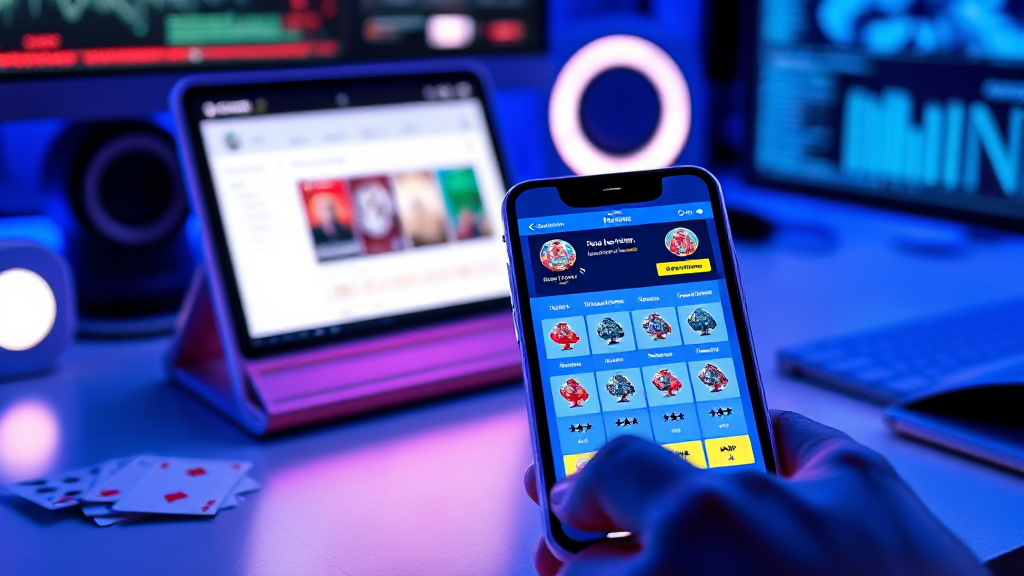
Reading a Rummy App Listing Page: How Layout Guides Your Eye
Picture a rummy app listing page. You have probably seen dozens of them, and you have probably never stopped to think about why your eyes landed where they did. Before you read a single word of a description, the page has already made a series of quiet decisions for you: which app looks important, which number looks trustworthy, which button looks like the obvious next step. If it is your First Time Play Rummy Game, those quiet decisions matter more than usual, because you have no prior experience to fall back on. You are reading the page the way a designer built it, whether you realise it or not.
This walkthrough follows the eye down a typical listing page, zone by zone, and points out what each layer of layout is quietly encouraging you to do.
The Top Card: What Gets Priority Before You Read
Almost every listing page opens with a hero card or a featured tile. It is usually larger than everything else, often with a colourful icon, a short app name, and a single headline benefit. Designers call this the entry point, and it exists because attention is finite. The moment a page loads, the eye needs somewhere to land, and the hero card is engineered to be that somewhere.
For a first-time reader, the practical consequence is simple: the featured item is not necessarily the best item, it is the most promoted item. That is not a flaw in the design, it is the design doing its job. A directory has to rank things somehow, and the top card is the loudest ranking signal on the page. The useful habit is to notice it, register what it is claiming, and then deliberately keep scrolling rather than treating it as a verdict.
Look at what the hero card actually shows. If it leads with a rating, the page is telling you that social proof is the main filter. If it leads with a download count, the page is telling you that popularity is the main filter. If it leads with a screenshot of the table itself, the page is telling you that the experience is the main filter. Each of those is a different editorial stance, and each one shapes what a newcomer assumes matters.
The Listing Grid: Scanning Beats Reading
Below the hero, most directories settle into a grid or a vertical stack of app cards. This is where the page stops being a poster and starts being a catalogue. The grid format works because it lets a reader compare several options without committing to any of them, and because it lets the page hold a lot of information in a small vertical space.
What the grid prioritises is pattern recognition. Each card tends to repeat the same elements in the same order: icon, name, one-line description, a metric or two, and a call-to-action. Once you recognise the pattern after two or three cards, your eye stops reading and starts scanning. That is exactly what the layout is built to encourage, and it is efficient, but it also means the middle cards get less attention than the first and last ones.
This is the zone where a first-time reader can gain the most by slowing down slightly. The middle of a grid is where less-marketed but genuinely well-made options often sit. If a card has a clean screenshot, a clear description, and a rating that holds up against the featured item, that is worth more than its position on the page.
Ratings, Badges and Numbers: The Trust Layer
Almost every listing card carries some form of numeric or symbolic shorthand: a star rating, a review count, a badge, a percentage. This is the trust layer, and it is deliberately placed where the eye passes on its way to the button. The layout is saying, in effect, here is the evidence, now here is the action.
Numbers are persuasive because they feel objective, but they are also the easiest thing on the page to misread. A high rating with a small number of reviews is a very different signal from a slightly lower rating with a large number of reviews. A badge that says featured is a commercial signal, not a quality signal. A badge that says editor’s pick is an editorial one. The layout rarely explains the difference, because the layout’s job is to compress, not to teach.
So the useful reading habit is to treat every number as a question rather than an answer. How many people contributed to this rating? When was it last updated? Does the metric measure what I actually care about, or does it measure something adjacent, like installs rather than satisfaction? None of this requires deep research. It requires about ten seconds of scepticism per card, which is a small price for avoiding a poor first choice.
Screenshots and Preview Panels: The Visual Promise
Most listing pages dedicate real estate to screenshots, a preview panel, or a short visual walkthrough. This zone exists because a card game is a visual product, and no paragraph of text conveys a table layout as quickly as a single image does. Designers place these previews mid-card or mid-page because that is where a reader who is still undecided will be looking.
What the screenshots quietly communicate is the pace and tone of the game. A cluttered table with many small elements suggests a busier, more layered experience. A cleaner table with larger cards suggests something calmer and easier to parse. The colour palette, the density of buttons, and the amount of empty space all tell a first-time reader something about how much cognitive load to expect.
It is worth looking at these images as documentation rather than decoration. A preview panel that shows the actual table, the actual controls, and the actual card faces is far more informative than a stylised promotional graphic. When a listing page invests in real screenshots, it is usually a sign that the product is comfortable being seen as it is.
Descriptions and Fine Print: Where the Details Hide
Underneath the visuals sits the text: a short description, sometimes a longer one behind a toggle, and then the fine print. This is the least glamorous zone on the page and, for a first-time player, often the most consequential. The fine print is where variation gets explained, where eligibility and account requirements live, and where the difference between two similar-looking apps usually becomes clear.
Layout tends to push this material down and shrink it, because it is not what makes a page attractive. That is a reasonable design choice for a browsing reader and a poor one for a deciding reader. If you are about to commit your first session to an unfamiliar app, the fine print is the part that deserves the closest reading, precisely because the layout has made it easy to skip.
A practical approach is to read the short description first for the general pitch, then open the longer text and the fine print before you tap anything. The order matters less than the habit of not letting the page’s visual hierarchy make the decision for you.
The Call to Action: Where the Page Wants You to Go
Every listing page funnels toward a button. It might say download, install, or play now, and it is almost always the highest-contrast element in its card. Colour, size, and placement all conspire to make it the natural end of the eye’s journey. This is the zone where the layout stops suggesting and starts directing.
Recognising that is not cynicism, it is literacy. A call-to-action is a designed endpoint, and the page is built so that the path from hero card to button feels frictionless. That frictionlessness is useful when you have already decided and unhelpful when you have not. The simplest counter-move is to treat the button as the last step rather than the first, and to let the earlier zones, the grid, the trust layer, the screenshots, and the fine print, do their work before you arrive there.
When you close the page, the layout has done its job whether or not you clicked. It has shown you what it thinks matters, in the order it thinks matters. Reading a rummy app listing page well is mostly a matter of noticing that order, respecting the parts that earn it, and quietly ignoring the parts that are just loud. Do that once or twice, and the next listing page you open will feel less like a maze and more like a map.